



























How to Build a Nutrition App with Meal Photo Recognition and AI-Powered Food Tracking
An AI-powered nutrition app typically combines a food-recognition model with a reliable nutrition database. Additionally, a portion check and editable meal log should be incorporated into the application.
Thus, an image with chicken curry implies the presence of a certain food recognition. Nevertheless, nutrition estimation will be related to its ingredients and portion size.
AI nutrition app development begins with a thorough review process. Users verify foods and change their quantities in order to save nutrition estimation totals. Teams check the efficiency of food recognition and nutrient calculation.
The following guide provides information on development stages and technologies, with accuracy checks. It also discusses the cost and image privacy.
How Does Meal Photo Recognition Work in a Nutrition App?
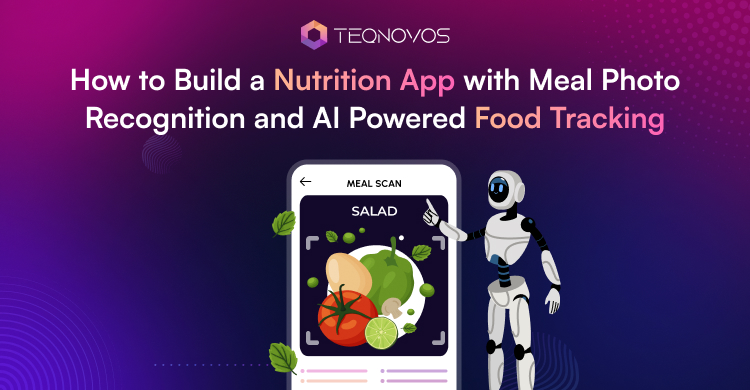
The app turns a meal image into suggested food entries. The workflow connects image capture with food identification and nutrition records. User review determines what enters the log.
1. Capture a Usable Meal Photo
The camera screen guides users to keep the whole meal visible. If the image is blurry, then another image is taken again. Before submitting the photo to be analyzed, the app shows a preview. Computer vision is the type of AI technology used for analyzing images.
2. Match Nutrition Records
The recognition model returns possible matches for each detected item. A plate with rice and beans might give various recommendations. The program links every recommended food item to the nutrition log. The record supplies nutrient values for a defined quantity. A dish name alone does not specify a serving weight.
3. Confirm the Details Before Saving
The review screen places suggestions beside the photo. Users replace incorrect matches and add foods the model missed. Manual search lets users select available foods without another photo. Each food entry needs an amount and unit. The nutrition calculation takes place by considering the above information entered after reviewing. The meal is saved with its timestamp along with the nutrient content.
Define the Application MVP Around a Clear Use Case
AI nutrition app development needs to establish who logs meals and who reviews the results. Three use cases give the MVP different priorities.
- Personal food diary: The individual keeps track of daily consumption. The team determines the nutrients that should be recorded in the personal food diary.
- Fitness nutrition tracker: The members correlate their food habits with their fitness goals. The planning of AI in fitness requires determining the data on meals that trainers require.
- Professional review journal: The client communicates his meals with the nutrition professional. The team determines the review schedule and permissions to access the journal.
The team also names the target market and its common foods. Food recognition app development requires creating a sample list of meals. This list gives the recognition evaluation a defined starting point. Country and language settings also affect the recognition service’s food labels and candidate rankings.
An MVP is the smallest release that tests the chosen use case. Its scope includes the initial language and measurement units. Coaching and wearable connections enter the release only when that use case requires them. The scope brief records these decisions before design begins.
Key Features of an AI Nutrition and Food Tracking App
An image of the meal is a picture showing food contained on the plate. It is important that the diary should show what the individual has eaten. Nutrition tracking app development needs to consider correct amounts and saved entries.
1. Registration and Onboarding
The registration process allows linking the meals recorded by the user with their account. The onboarding process takes the user through the initial setup. Users choose measurement units and enter sample meal details.
2. Personal Nutrition Goals
Profiles include age and height. It also includes weight and activity level. Users select goals and set nutrition targets. Each target records its unit and the date it becomes active.
3. Meal Photo Scanning
Camera and gallery access accept new or existing meal images. A preview lets users check the selected photo. Upload progress stays visible. A failed upload retains the image for another attempt.
4. AI Food Recognition
The meal photo recognition model suggests matches for visible foods. It differentiates food items within one image. Users review each suggestion and correct inaccurate labels. Manual search remains available when recognition fails.
5. Automatic Nutrient Tracking
AI food tracking is based on matching the verified foods with the information from the nutrition database. The software uses the nutritional information to calculate the number of calories in the verified portions. Macronutrients are the nutrients needed by the body in large amounts. Some examples of macronutrients include proteins and carbohydrates.
6. Portion Size Estimation
Estimated portions stay editable. Users record the amount consumed rather than the amount photographed. Some systems require several images or measurements of distance from the camera. The selected technology determines the capture requirements.
7. Daily Nutrition Dashboards
Averages are calculated daily and weekly for the amount of intake. The dashboard shows the number of days used to form the average per week. Micronutrients are vitamins and minerals needed in small amounts. Unavailable values for nutrients are represented as such.
8. Meal History
The food journal organizes confirmed meals by date and time. Users reopen entries or reuse a previous meal. Reused entries remain separate, so portion changes do not alter earlier records.
9. Personalized Meal Recommendations
Meal suggestions reflect stated goals and recorded eating patterns. Each suggestion includes a reason and an estimated nutrition summary. Users dismiss recommendations and update preferences that influence future suggestions.
10. Preferences and Allergies
Users record dietary preferences separately from allergy restrictions. Recommendation filters check available ingredient records for conflicts. Current ingredient labels remain important for packaged foods. Allergy settings cannot establish meal safety through a photo alone.
11. Water and Activity
Water entries record a volume and time. Activity logs capture workouts through manual entries or connected fitness devices. Imported records retain their source so duplicate activity entries are identified.
12. Progress Reports
Reports compare recorded intake with the nutrition goals active during the selected period. Changing a current target does not rewrite earlier comparisons. Reports also identify days with missing logs.
13. Notifications and Reminders
Users choose logging times and control notification settings. Reminders account for meals already recorded. Different schedules cover food logging and water entries. This keeps prompts relevant to the user’s routine.
14. AI Nutrition Assistant
A chatbot accepts questions through a message window. Users ask about logged nutrients or individual meal entries. Answers use saved diary data and identify the period reviewed. General nutrition explanations link to reviewed sources.
AI Technologies Behind Food Recognition and Tracking
Recognizing rice and retrieving its nutrient data are different tasks. AI food tracking connects visual predictions with food records. Language tools interpret written inputs and process questions about recorded meals.
1. Computer Vision
Meal photo recognition uses computer vision to analyze images. Image classification predicts food categories. Object detection locates separate items. Segmentation divides a photo into regions, so each visible food receives an individual prediction.
2. Machine Learning Models
Machine Learning trains models to detect patterns. Deep Learning is based on layered mathematical models known as neural networks. Transfer Learning reuses an already trained model for a different task. Teams use this approach to develop a food classifier.
3. Optical Character Recognition
OCR scans text off food label packages and menus. The application will then sort this scanned text into fields including the size of the portion and the nutrient content. Scanned numbers should be verified for units and size of serving. The dish name alone from the menu does not determine its nutritional value.
4. Natural Language Processing
NLP analyzes written language. A food-specific system interprets a food item and quantity. Questions about yesterday’s intake also need a date and nutrient mapped to the correct diary fields.
5. Generative AI Recommendations
Generative AI creates content such as meal suggestions. The app supplies user goals and retrieved recipes as context. Grounding connects generated output to source information. Separate calculations produce the nutrition totals attached to suggested meals.
6. APIs and Models
An API lets software request results from a service. General vision services may return broad image labels. Food specific services return dish candidates. Custom AI model development offers control over food categories but requires labeled training data and ongoing evaluation. Food coverage and output detail guide food recognition app development.
Step-by-Step Guide to AI Nutrition App Development
A corrected meal updates the saved entry and the daily total. This gives the development team a definite requirement to test. The following steps connect that requirement with product planning and design.
Step 1: Define the Audience
Audience interviews identify the main tracking problem. The selected focal point can be something like weight loss or sports nutrition. Healthy eating and diabetes monitoring are additional choices. The clinical assessment and review of health claims for any diabetes-related function is required.
Step 2: Define the MVP
The MVP tests the core logging workflow with real users. Its scope includes meal photos and food corrections. It also includes a basic nutrition dashboard. User goals and progress review complete that initial scope. Each function gets a written completion condition before development begins.
Step 3: Design the Experience
User experience describes how people complete tasks. User interface covers the screens and controls. Designers create a clickable prototype for meal capture and result corrections. Dashboard views and personalization settings complete the flow. Users test these interactions before mobile app development begins.
Step 4: Build Food Recognition
Engineers define food categories for food recognition app development. A mixed dish can use one dish label while separate plate items receive individual labels. Regional meal samples guide model selection or custom training. Reviewers check user corrections before selecting examples for future model improvements.
Step 5: Integrate Nutrition Data
The developers will correlate the foods with the nutritional information database. They will map the calories and protein amounts, together with carbohydrate and fat content. The vitamin and mineral information will remain as per their unit of measure. The team checks preparation state and serving basis before calculations use those records. Sample meals verify that the complete mapping produces the expected totals.
Step 6: Add AI Personalization
The personalization team defines how logged eating patterns influence recommendations. Each nutrition insight has a stated rule and data requirement. Tests hold the food diary constant while changing user goals. Reviewers check that meal suggestions and explanations respond according to the approved recommendation rules.
Step 7: Test and Validate
Reference meals contain known foods and weighed portions. Those test meals stay outside model training. Reviewers measure recognition and portion errors separately from nutrition calculation errors. Usability tests cover the full logging task. Device tests vary phones and lighting while recording processing time. Results must meet the release conditions agreed before testing.
Step 8: Launch and Improve
The team launches to a limited user group and reviews feedback alongside logging failures. Repeated errors across particular cuisines identify coverage gaps. Developers expand food records and retrain custom models with reviewed examples. Hosted model updates require provider coordination. Updated models pass the reference tests before wider release.
Food Recognition App Development: Challenges to Consider
Recognizing a dish does not confirm its weight or recipe. Those gaps affect the nutrition estimate. AI nutrition app development needs checks that distinguish recognition errors from problems with portion estimates and food records.
1. Similar Looking Foods
Mashed potatoes and mashed cauliflower look alike. Similar colors and textures lead a model to select the wrong food record. A clear photo may still lack the details needed to distinguish them.
- Test cases for commonly confused food pairs.
- Food labels that distinguish relevant preparation differences.
- Targeted questions when ingredients remain unclear.
- Review rules for visually ambiguous matches.
2. Mixed Dishes
Rice with curry is not the same as other foods served on plates. The overlapping of food creates confusion regarding the boundaries of the foods. There should be standard principles guiding the representation of whole food and its parts.
- Handling of complete recipes and individual foods.
- Image test with overlapping elements and toppings.
- Check to avoid double counting of a dish and its ingredients.
- Labeling of the presumed recipe ingredients.
3. Portion Estimation
A pile of rice that is light appears to be heavy if the camera angle obscures the depth. The conversion from volume to weight also needs density. Density is mass per unit of volume.
- Validation across small and large portion sizes.
- Food specific conversions between volume and weight.
- Checks for unsupported camera angles and capture methods.
- Separate records for estimated and confirmed quantities.
4. Regional Food Coverage
Performance in recognition varies from one cuisine to another. If the algorithm is trained mainly on one cuisine, chances are high that the dishes from other cuisines will be mislabeled. Local names also represent various dishes. Evaluation coverage requires per cuisine basis.
- Image samples that reflect each intended launch market.
- Local food names mapped to appropriate database records.
- Separate recognition results for each supported cuisine.
- A documented list of foods outside model coverage.
5. Recipe Variations
Two restaurants are serving the same dish but different recipes. Homemade versions introduce further variation. The food record may miss the differences in their cooking oil or sauces even if the identification is right.
- Published nutrition data for the restaurant item.
- Custom recipe records with documented ingredient amounts.
- Recorded recipe weight after cooking.
- Visible assumptions when the actual recipe is unknown.
6. Nutrition Data Quality
Food databases contain records built from different sources. Some use laboratory analysis, and others rely on product labels. Incorrect units or outdated records produce misleading totals even after the app identifies the food.
- Checks for values per serving versus per 100 grams.
- Separate records for raw and cooked foods.
- Source dates and versions stored with nutrient values.
- Missing values kept distinct from confirmed zeros.
7. False Predictions
High confidence does not guarantee a correct prediction. AI developers need to compare reported confidence with observed correctness. Foods outside supported categories also need an appropriate response so the system avoids forcing an incorrect label.
- Separate tracking of confidently wrong predictions.
- Tests with unfamiliar foods and images without food.
- Review thresholds based on measured prediction performance.
- An unknown food result when evidence remains insufficient.
8. Image Quality Limits
Blur and glare hide food details before recognition starts. Low light alters visible colors. Excessive image compression removes useful texture. Image processing needs to preserve the evidence that the model uses.
- Capture guidance matched to the detected image problem.
- Consistent image orientation before recognition.
- Resizing checks that preserve important food details.
- Quality testing across supported phone cameras.
9. Response Time
Fast food identification does not mean every nutrition calculation has finished. Uploads and database lookups add delays. Some portion estimates run in the background. The interface needs to distinguish pending calculations from completed results.
- Separate timing for uploads and each processing stage.
- Reuse of current food records for repeated lookups.
- Limits on retries during slow or failed requests.
- Protection against delayed results replacing newer user edits.
Building Security and Compliance Into an AI Nutrition App
Privacy should not be considered a final launch process. An AI based nutrition app analyzes images of meals. It also records one’s diet history and personal profile information. Each data flow must have a specified purpose and privacy protection measure.
1. Protect Meal Photos at Every Stage
Meal images reveal more than food. They may capture personal surroundings or other private details. The app needs secure upload methods and protected storage. Images also need a defined retention period. The system can remove them after processing when continued storage has no product purpose.
2. Give Users Clear Data Control
The user must know what information is collected through the app and how it helps in using each function. Consent needs to appear before the info enters the system. The account settings offer the ability to view the data stored and delete it.
3. Secure Access to Sensitive Information
The process of encryption helps safeguard the data while it is transferred and stored. Access controls limit access to records according to the role and permissions of the users. The development teams require audit records as well.
4. Plan Compliance Around the Launch Market
The privacy requirements will be based on the operating location of the app and on how the product utilizes the individual’s personal information. The developers have to determine what the privacy requirements are before developing the application. Third party artificial intelligence providers and nutrition systems should also be considered.
5. Set Clear Limits for AI Nutrition Estimates
AI generated nutrition results can contain uncertainty. A food image may not reveal the exact recipe or portion size. The app needs to label uncertain outputs as estimates. It also needs to avoid presenting automated calculations as confirmed medical or nutritional facts. Clear wording helps users understand what the system can and cannot determine.
How Much Does It Cost to Develop a Nutrition App with Food Recognition?
The cost of AI nutrition app development depends on the product scope and AI complexity. A basic version can use third party recognition services. A more advanced product may need custom models and stronger infrastructure.
| Product Type | Typical Scope | Estimated Cost |
| MVP | One platform. Third party AI. Nutrition database integration. Basic tracking and dashboards. | $35000 to $70000+ |
| Growth Product | More platforms. Advanced personalization. Better analytics. Stronger backend infrastructure. | $70000 to $120000+ |
| Advanced AI App | Custom AI models. Portion estimation. Regional food datasets. Advanced recommendations. | $120000 to $200000+ |
| Ongoing Costs | Cloud hosting. Image processing. API usage. Model monitoring. AI training and maintenance. | Depends on usage and scale |
The final budget also depends on security requirements and user interface complexity. Costs increase when the product needs custom AI training or broader food coverage.
Monetization Strategies for an AI Nutrition App
A strong monetization model needs to match the value users receive from the app. The product can combine free access with paid features and business partnerships.
- Freemium business model: Basic logging and tracking of meals is provided for free. Premium options may help in receiving more advanced insights and features.
- Premium subscriptions: The premium monthly or annual subscription plan can have various benefits such as advanced reports, meal analysis, and other services.
- Personalized nutrition plans: Depending on the user’s needs, there can be personalized nutrition plans for users that will be charged.
- AI coaching packages: This option includes the possibility of having the service of premium coaching via an artificial intelligence assistant. Moreover, human experts can be offered in the upper-tier packages.
- Partnerships with fitness clubs and dietitians: Fitness centers and dietitians can use the application as a part of their practice. Partnerships can include the option of a shared dashboard for clients.
- Business wellness programs: This option provides businesses with the opportunity to use the application as a part of the wellness program for employees.
How to Improve AI Food Tracking Accuracy
AI food tracking accuracy depends on more than the recognition model. The system also needs reliable portion data and strong food coverage. Product teams improve results by testing each part of the meal analysis process separately.
1. Let Users Confirm or Edit AI Results
AI predictions can not be correct for every meal. The app needs to give users control before it saves a food entry. A clear review step prevents incorrect foods from affecting nutrition totals.
- Show the predicted food before saving the meal
- Allow users to replace an incorrect food match
- Let users adjust the serving amount
- Keep manual search available when recognition fails
2. Learn From User Corrections
User corrections reveal where the recognition system struggles. Development teams review this feedback to identify recurring errors. Approved corrections can also support future model improvement.
- Record the original prediction and corrected result
- Group repeated errors by food type
- Review correction data before using it for training
- Retest updated models against earlier problem cases
3. Use Multiple Recognition Signals
A single image prediction may not provide enough evidence for a reliable result. The system combines several signals before selecting a food match. This reduces dependence on visual similarity.
- Compare image predictions with food database records
- Use text input when the user adds a food name
- Consider meal type when ranking likely matches
- Use barcode or label data for packaged foods
4. Improve Portion Estimation
Correct food recognition does not guarantee an accurate nutrition estimate. The system also needs a reliable estimate of how much food was consumed. Portion controls need to stay editable when automated estimates remain uncertain.
- Ask users to confirm the detected portion size
- Use food specific density values where available
- Test portion estimates across different camera angles
- Keep estimated quantities separate from confirmed values
5. Expand Regional Food Datasets
Models used for food recognition fail miserably if the data used to train them does not account for the local cuisine. The regional foods included in the data must be representative of the markets that the app will operate in.
- Add images from the intended launch regions
- Include local names for the same food
- Test model accuracy for each supported cuisine
- Review regional dishes that produce frequent corrections
6. Combine Image Recognition
Contextual information refers to the information that aids in understanding the content of the image. It could be in the form of the type of meal, user information, or past food choices.
- Use meal timing as an additional signal
- Consider foods the user logs frequently
- Include user supplied ingredient information
- Ask a follow up question when the image remains unclear
7. Evaluate Model Performance
The accuracy of food recognition will vary depending on the updates to the food dataset or even different models being used in the app. Evaluation needs to be done regularly instead of being based on tests conducted at first.
- Measure accuracy across supported food categories
- Track confidently incorrect predictions
- Test new model versions before release
- Review performance after expanding food coverage
Future Trends Shaping Nutrition Apps and Smarter Food Tracking
AI based nutrition applications are going past mere tracking of calories and recording of meals. The emerging products integrate food information with voice technology and shopping behavior. This makes the tracking of nutrition more contextual and less reliant on user input.
1. Multimodal AI Nutrition Assistants
Multiple inputs are analyzed at once in the same interaction. A nutrition assistant might analyze an image of a meal, in addition to textual or vocal input. The system gets more information before giving the nutritional analysis.
- Analyze food images with written meal details
- Accept voice input alongside meal photos
- Use several signals to clarify uncertain foods
- Explain nutrition results through conversational responses
2. Accurate Portion Estimation
Portion size remains one of the harder parts of automated food tracking. Future systems may use better depth information and visual reference points to estimate food volume. Improved estimation reduces the amount of manual portion correction required.
- Estimate food volume from visual depth
- Use reference objects to understand scale
- Apply food specific density information
- Ask for confirmation when confidence stays low
3. Voice Based Food Logging
Voice input reduces the effort needed to record meals. A user could describe a meal when taking a photo is inconvenient. The system converts spoken details into structured food entries.
- Capture food names through spoken input
- Record serving amounts through voice commands
- Add ingredients that are hidden in a photo
- Correct existing meal entries through speech
4. Health Data Integration
Nutrition data becomes more useful when the app connects it with other health signals. Wearable app development services provide activity and sleep information. Some connected health systems may also supply continuous measurements when users authorize access.
- Connect meal records with activity data
- Compare nutrition patterns with sleep records
- Use authorized health signals for personalization
- Keep data sources visible within user records
5. Personalized Meal Planning
Meal planning can become more responsive to recorded behavior. Instead of relying only on profile settings, the app can use confirmed meal history and nutrition targets. Plans can then adapt as user habits change.
- Build plans around recorded food preferences
- Adjust suggestions based on nutrition targets
- Account for dietary restrictions
- Update recommendations as new meals are logged
6. Predictive Nutrition Insights
Predictive systems use past data to estimate a possible future pattern. A nutrition app could detect recurring gaps before a reporting period ends. These insights need clear explanations because predictions do not guarantee future outcomes.
- Detect repeated gaps in logged nutrients
- Identify recurring meal patterns
- Flag trends that may affect nutrition goals
- Explain which recorded data supports each prediction
7. Food Delivery Integration
Nutrition applications can link meal planning and food shopping. The chosen meal plan can go from the planner straight to the list or an ordering system. In that way, a direct link is created between the nutritional suggestions and available food products.
- Convert meal plans into grocery lists
- Match recipes with available food products
- Connect selected meals with ordering platforms
- Update nutrition records using confirmed purchases
Conclusion
Nutrition tracking app development can make food logging faster through meal photo recognition and AI powered automation. AI also personalizes insights around user goals and eating habits.
Businesses can start with a focused MVP and expand capabilities over time. Teqnovos helps build a scalable food recognition app platform. Book a free consultation call with us today!